



Download Sleipnir – Fast, Secure & Customizable Web Browser
Why Sleipnir Deserves a Second Look
In a world dominated by heavyweight browsers, Sleipnir emerges as a surprisingly versatile alternative that balances speed, security, and customizability. Developed by Fenrir Inc., this full‑featured web browser supports both the legacy Internet Explorer (Trident) engine and the modern Gecko engine used by Firefox, giving users the freedom to choose the rendering core that best fits their workflow. What sets Sleipnir apart isn’t just its dual‑engine capability; it also bundles RoboForm, a robust password manager, and an intuitive tab‑management system that can handle dozens of open pages without slowing down your PC.
Whether you’re a power user who loves to tweak every setting or a casual surfer looking for a reliable, secure browsing experience, Sleipnir offers a solid mix of features that can replace Chrome, Edge, or Firefox without a steep learning curve. Its built‑in RSS reader, proxy support, and extensive security tools make it a compelling choice for those who value privacy and performance in equal measure. If you’ve grown tired of the same old interface and want a browser that adapts to your needs, Sleipnir is worth a download and a thorough test run.
Key Features That Make Sleipnir Stand Out
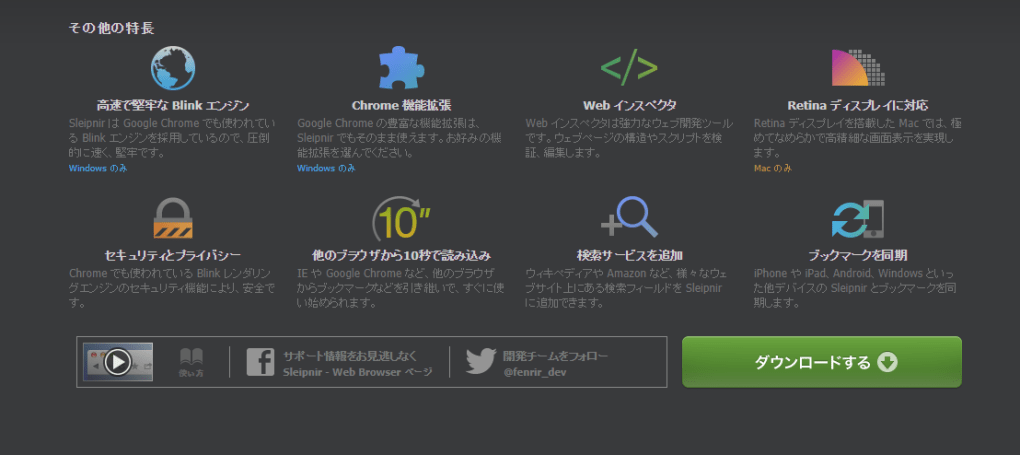
- Dual Rendering Engines: Switch effortlessly between Trident (IE) and Gecko (Firefox) to test website compatibility or improve page load times.
- Built‑in RoboForm Integration: Securely store passwords, auto‑fill forms, and generate strong credentials without installing a separate extension.
- Advanced Tab Management: Group tabs, preview them on hover, and use vertical or horizontal tab bars to keep your workspace organized.
- Customizable UI: Drag‑and‑drop toolbars, change themes, and hide unwanted buttons for a minimalist or feature‑rich layout.
- Integrated Search & RSS: Use the omnibox for instant web searches and follow your favorite feeds with the built‑in RSS manager.
- Proxy & VPN Support: Configure HTTP, SOCKS5, or system proxies directly from the settings panel for added privacy.
- Security Suite: Real‑time phishing protection, sandboxed tabs, and optional site isolation to keep your data safe.
- Import Wizard: Seamlessly bring bookmarks, history, and passwords from Chrome, Edge, Firefox, Safari, and Opera.
- Lightweight Performance: Low RAM consumption thanks to efficient memory management and optional background process throttling.
- Cross‑Platform Availability: Native builds for Windows 7/8/10/11, macOS, Android, and iOS ensure a consistent experience across devices.
Installation, First‑Run Tips, and Compatibility Details
Getting started with Sleipnir is straightforward. Visit the official website, click the “Download for Windows” button (or choose the macOS, Android, or iOS version as needed), and run the installer. The Windows installer is a standard .exe file that guides you through typical steps: accept the license, choose an installation folder, and decide whether to set Sleipnir as the default browser. For macOS, download the .dmg package, drag the app to your Applications folder, and confirm any security prompts. Mobile users can find Sleipnir in the Google Play Store or Apple App Store; the installation process mirrors any other app on those platforms.
Upon first launch, the Import Wizard appears, prompting you to select which browsers you’d like to import data from. This feature supports Chrome, Edge, Firefox, Safari, Opera, and even older browsers like Netscape, making migration painless. After importing, you’ll be greeted by the default UI, which may feel crowded if you prefer minimalism. To declutter, right‑click any toolbar button and choose “Hide” or use the Settings → Appearance panel to toggle entire toolbars on or off.
Supported Operating Systems: Sleipnir runs on Windows 7, 8, 10, and 11 (both 32‑bit and 64‑bit), macOS 10.13 or later, Android 7.0+, and iOS 12+. The application automatically detects your system architecture and installs the optimal version, ensuring maximum performance and stability.
For power users, the Settings menu offers deep customization: you can select the default rendering engine, enable or disable built‑in security features, configure proxy settings, and even assign keyboard shortcuts for common actions like “Duplicate Tab” or “Open Link in New Window.” The built‑in “Quick Search” bar can be set to use Google, Bing, DuckDuckGo, or a custom search engine, and you can add your own search keywords for site‑specific queries. Overall, Sleipnir’s installation process is designed to be hassle‑free, while its post‑install options provide enough depth to satisfy both casual surfers and developers alike.
Pros, Cons, and Expert Review of Sleipnir
Pros
- Dual‑engine support offers flexibility for web developers and testers.
- RoboForm integration eliminates the need for third‑party password managers.
- Highly customizable interface adapts to both minimalist and power‑user preferences.
- Robust tab management reduces clutter and improves productivity.
- Built‑in RSS reader and search bar streamline daily browsing tasks.
- Low memory footprint compared to major browsers.
- Cross‑platform availability ensures a consistent experience on desktop and mobile.
Cons
- Initial UI may appear overwhelming for users who favor a clean look.
- Gecko engine support is optional and may require manual activation.
- Extension ecosystem is smaller than Chrome’s Web Store.
- Occasional compatibility quirks with legacy web applications that rely on outdated plugins.
- Free version includes occasional promotional prompts for premium features.
Overall Rating: 4 out of 5 stars – Sleipnir delivers a compelling mix of performance, security, and customization that makes it a serious contender in the browser arena.
Conclusion, Frequently Asked Questions, and How to Get Sleipnir
If you’ve been searching for a browser that blends the power of dual rendering engines with built‑in security tools and a flexible UI, Sleipnir answers that call. Its ability to import data from virtually any existing browser, coupled with a lightweight footprint and cross‑platform support, makes it a practical choice for both home users and professionals. While the initial interface may feel a bit crowded, the extensive customization options let you prune away anything you don’t need, resulting in a streamlined browsing experience tailored to your style. Considering its free tier offers a generous feature set, the occasional prompts for premium upgrades are a small price to pay for the added polish and priority support that come with a paid license. In short, downloading Sleipnir is a low‑risk experiment that could significantly improve your web‑surfing efficiency and security.
Frequently Asked Questions
Is Sleipnir completely free?
Sleipnir offers a free version with all core browsing features. A premium subscription unlocks additional themes, priority support, and removes promotional prompts.
Can I switch between the IE and Gecko engines on the fly?
Yes. In Settings → Engine, you can select your preferred rendering engine for new tabs. Existing tabs retain the engine they were opened with, allowing side‑by‑side comparisons.
Does Sleipnir support extensions?
Sleipnir supports a curated list of extensions from its own store and can also run many Chrome extensions via a compatibility layer, though not all are guaranteed to work.
Is RoboForm included for free?
RoboForm’s basic password‑manager functions are bundled free of charge. Advanced features like secure notes and cloud sync require a separate RoboForm subscription.
How does Sleipnir handle security updates?
Security patches are delivered automatically through the built‑in updater. The browser checks for updates at startup and can also be set to update silently in the background.
Ready to experience a faster, more secure browsing world? Download Sleipnir now and enjoy a free, feature‑rich browser that adapts to your workflow. Give it a spin, explore the customization options, and decide whether the premium upgrade is right for you.







